Cách clear cache trên một số trình duyệt
Hôm nay công ty mình mới deploy landing page mới, và một vấn đề xảy ra: trình duyệt của sếp mình cache từ bản cũ dẫn đến toàn bộ giao diện vỡ. Dưới đây là cách clear cache trong 3 trình duyệt phổ biến nhất.
Chrome
- Select
Secure
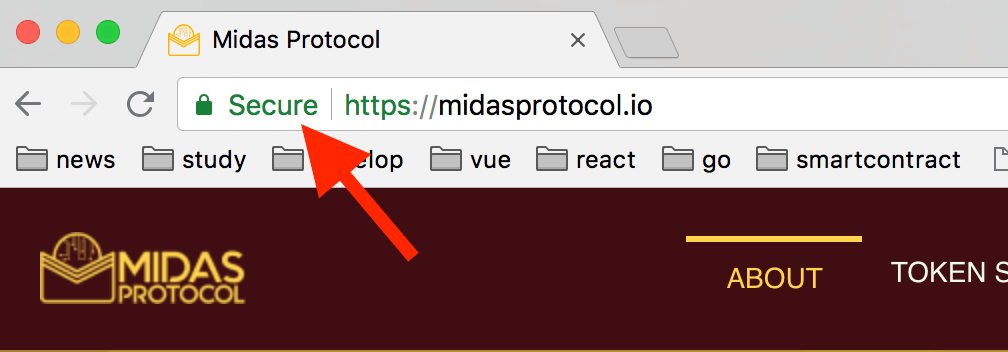
- Select
Cookies
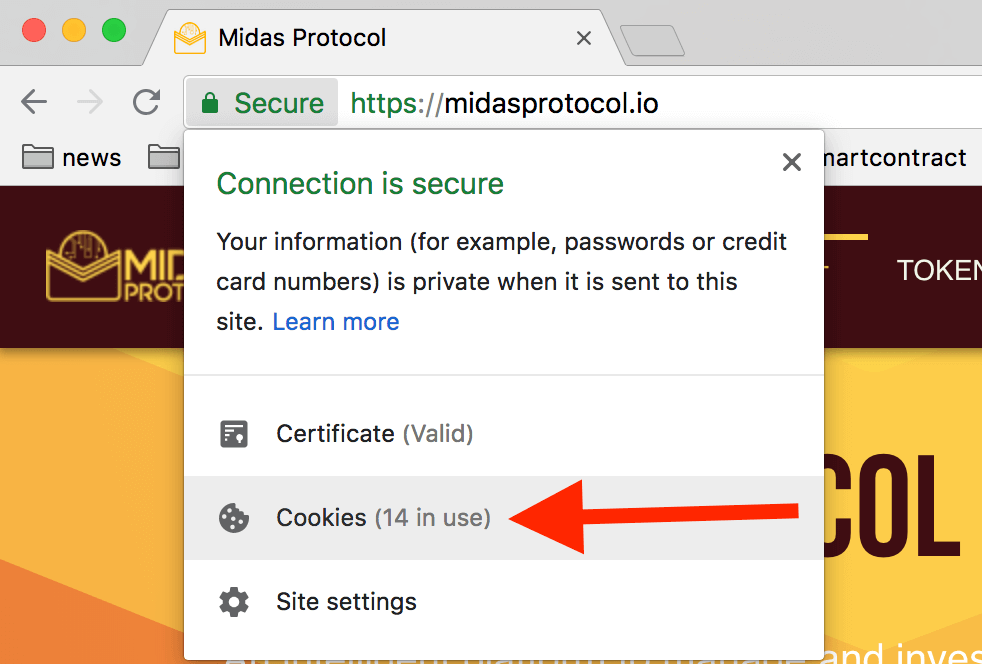
- In
Allowedtab, selectmidasprotocol.ioand clickRemovebutton
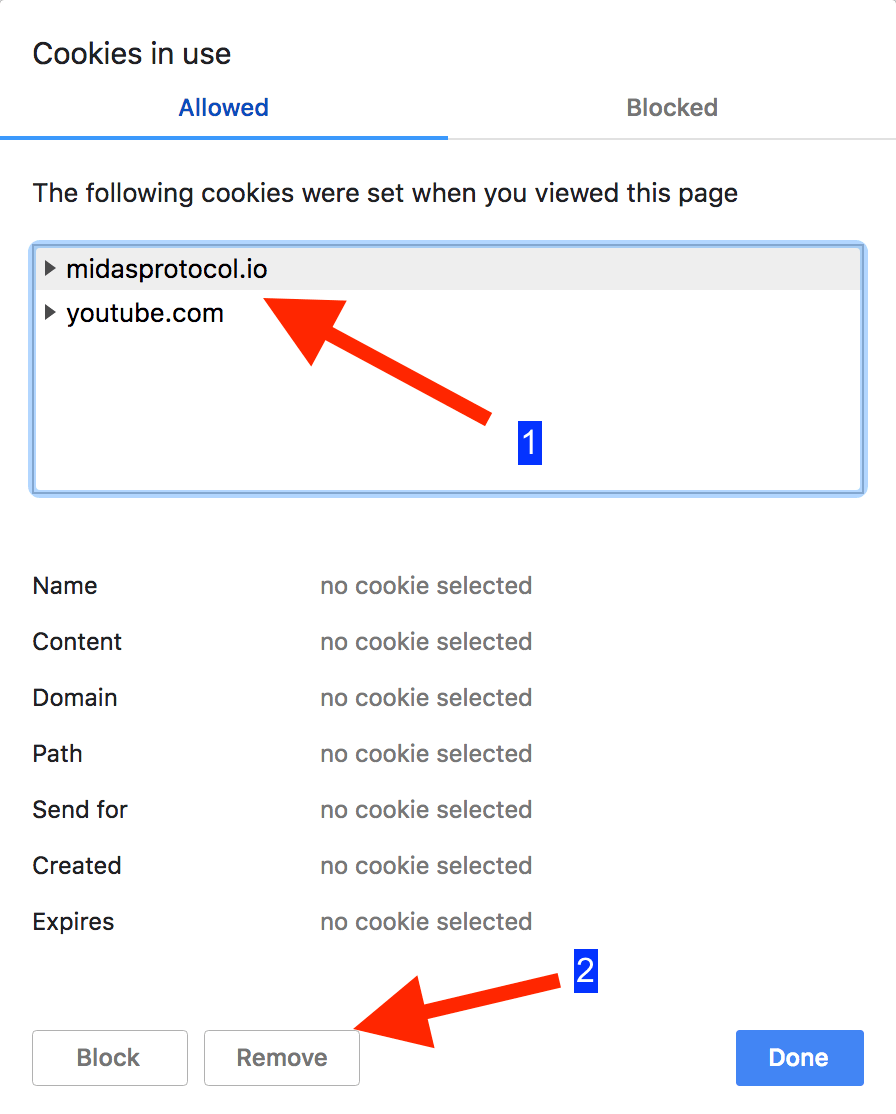
-
Click
Donebutton -
Refresh tab
Firefox
- Select lock button in address bar
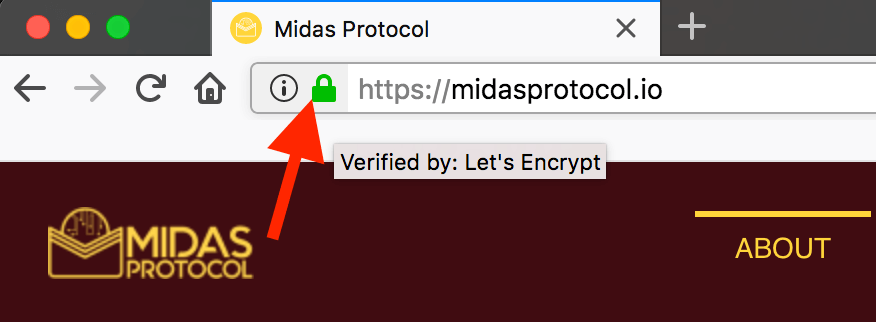
- Click
Clear Cookies and Site Data...
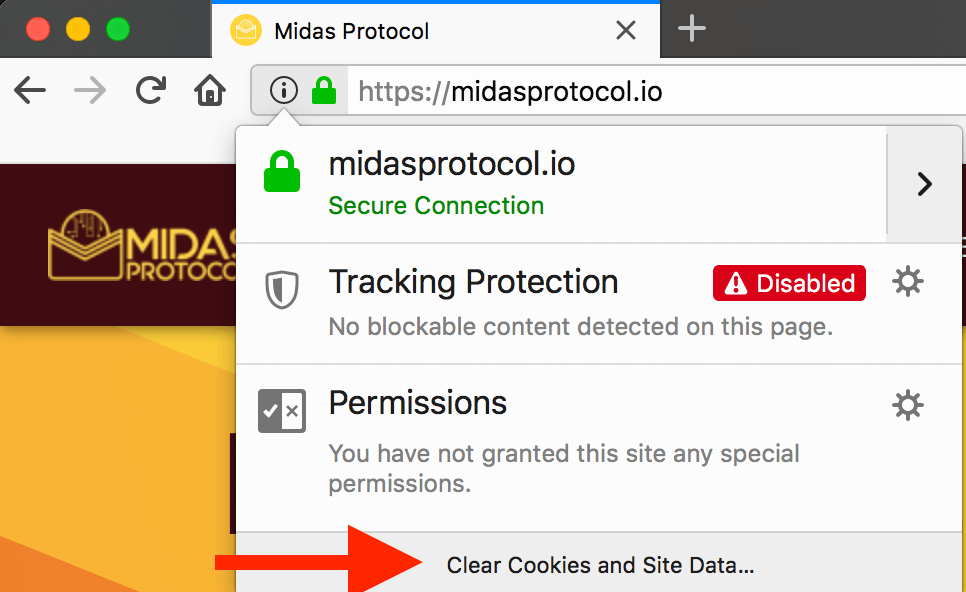
- Make sure website url is true and click
OK
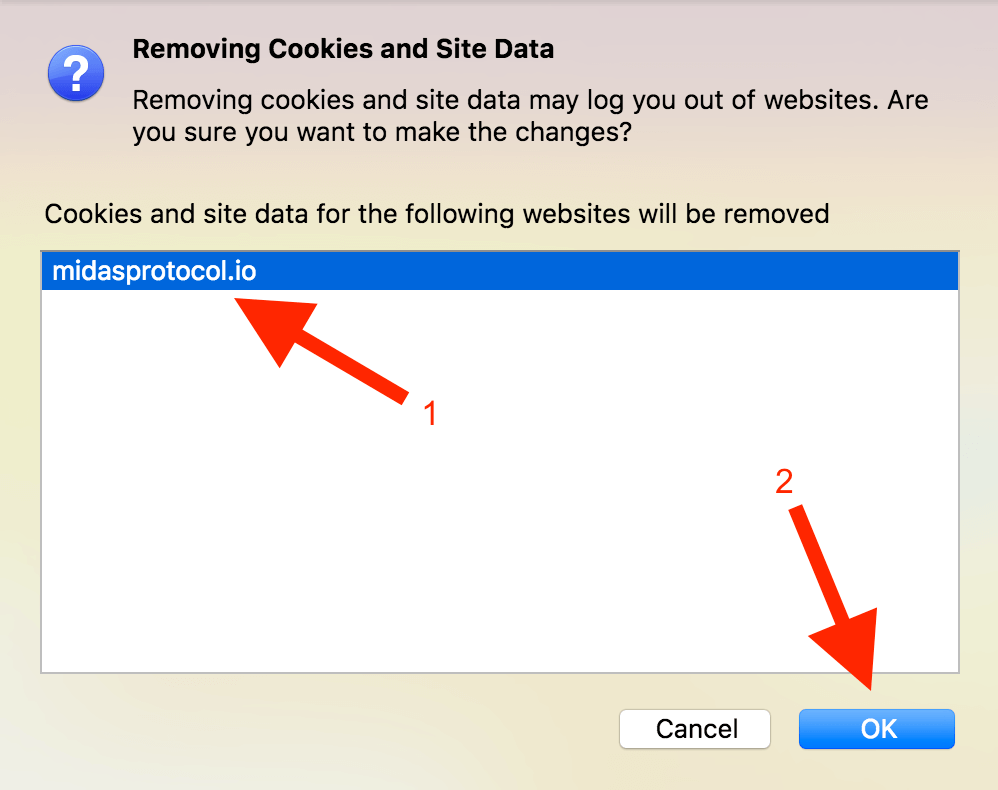
- Refresh tab
Safari
- Select
Safari>Preferences...
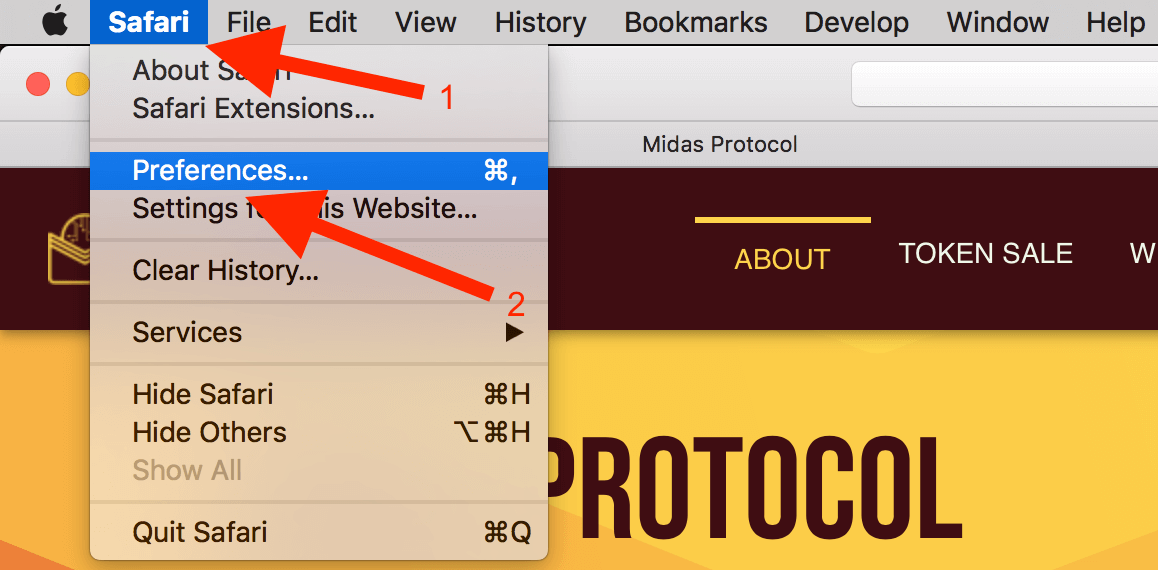
- Select
Privacytab and clickManage Website Data...
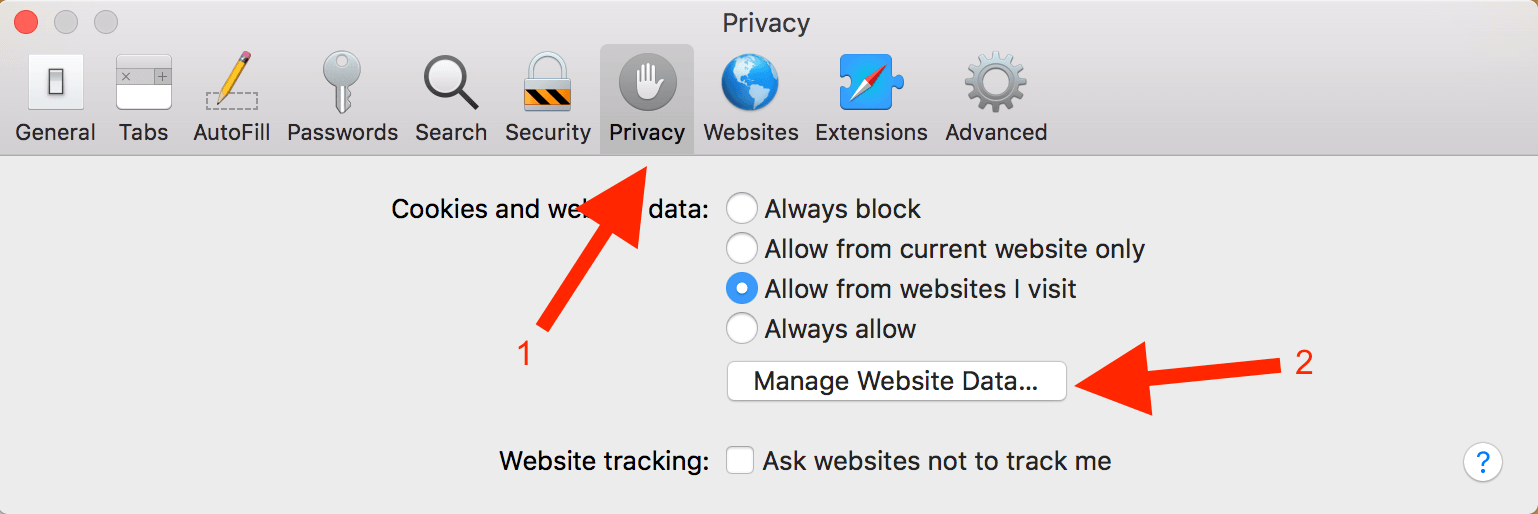
- Select website you want to remove cache, click
Removebutton. After that, clickDonebutton
- Refresh tab